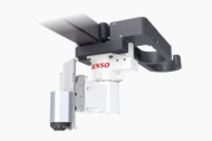
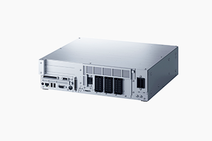
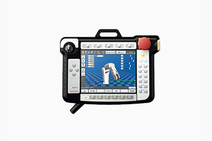
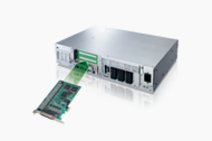
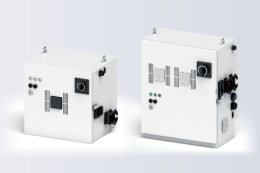
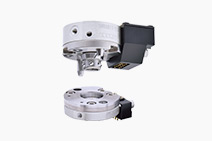
Controller:RC7M Controller

Spec:Extended_joints

Applicable controller RC7M + Extended-joint options
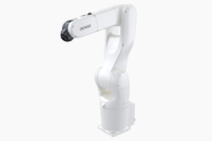
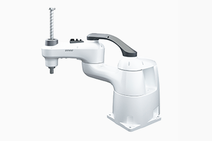
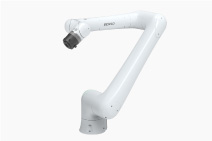
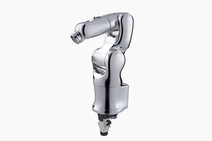
Robot series VP-G VS-G VM-G HS-G HM-G
Number of controllable axes Up to eight axes simultaneously (6 robot axes and 2 extended-joints) Up to six axes simultaneously (4 robot axes and 2 extended-joints)
Control system PTP, CP 3-dimensional linear, 3-dimensional circular(Only PTP control for extended-joints)
Drive system All axes : Full-digital AC servo
Language DENSO robot language (conforming to SLIM)
Memory capacity 3.25MB(equivalent to 10.000-step, 30.000-point)
Teaching system 1)Remote teaching
2)Numerical input(MDI)
1)Direct teaching
2)Remote teaching
3)Numerical input(MDI)
*Only 2) and 3) for extended-joint
External
signals
(I/O)
Standard I/O Mini I/O Input : 8 user open points + 11 fixed system points
Output : 8 user open points + 14 fixed system points
(Note : The global type does not use emergency stop input/output out of the fixed system points..)
HAND I/O Input : 8 user open points / Output : 8 fixed system points
SAFETY I/O
(only on global type)
Input : 6 fixed system points / Output : 5 fixed system points
Parallel I/O
extension boards
(option)
2 boards
mounted
Input : 80 user open points / Output : 96 user open points (additional possible)
Single
board
mounted
Input : 40 user open points / Output : 48 user open points (additional possible)
DeviceNet board (option) Master/Sla
ve
Input : 1024 points(Maste) + 256 points(Slave) / Output : 1024 points(Maste) + 256 points(Slave)
Master Input : 1024 points / Output : 1024 points
Slave Input : 256 points / Output : 256 points
CC-Link board (option) Slave Input : 128 points / Output : 128 points
External
communications interface
RS-232C: 1 line Ethernet : 1 line USB : 2 lines (Supporting USB flash memory drives)
Extension slots 3(for optional boards)
Self-diagnosis function Overrun, servo error, memory error, input error etc.
Timer function 0.02 to 10sec (in unit of 1/60 sec)
Error display *Outputs error codes to the external I/O.
*Displays error messages on the teach pendant (option).
*Displays error codes on the mini pendant(option).
Cables Motor and encoder
cable (option)
4m, 6m, 12m
I/O Cable (option) 8m, 15m(for Mini I/O, HAND I/O, Optional board for parallel I/O and SAFETY I/O)
Power supply cable 5m
Extended-joints
Motor cable (option)
Two types available for 1.5kW and 750W or below.
4m, 6m, 12m for each type
(Connected to the controller via the motor conversion cable)
Extended-joints
encoder cable(option)
4m, 6m, 12m
Environmental conditions
(in operation)
Temperature 0 to 40° Relative humidity 90% or less (No condensation)
Power supply
(in full configuration)
Three-phase 200VAC-15% to 230VAC+10%,50/60Hz, 3.3kVA
Single-phase 230VAC-10% to 230VAC+10%,50/60Hz, 3.3kVA
Single-phase 100VAC-15% to 110VAC+10%,50/60Hz, 1.4kVA
I/OPower source(Note) External
power source
A24VDC±10% should be supplied from external equipment.
Internal
power source
A24VDC±10% should be supplied internally in the robot controller.
Safety category
(Controller with safety box only)
Compliant with safety category 4
Degree of protection IP20
Weight (in full configuration) 4-axis standard model : Approx. 21kg
6-axis standard model : Approx. 22kg
4-axis global model(with safety board) : Approx. 22kg
6-axis global model(with safety board) : Approx. 23kg
4-axis global model(with safety box) : Approx. 25kg
6-axis global model(with safety box) : Approx. 26kg
  1. Note : Refer to Sections 4.2.1 and 5.2.1 "Setting up Mini I/O Power Supply."

Controller Handling Notes

WARNING
  1. * NEVER touch fins. Their hot surfaces may cause severe burns.
  2. * NEVER insert fingers or foreign objects into openings. Doing so may cause bodily injury.
  3. * Before opening the controller cover and accessing the inside of the controller for maintenance, be sure to turn off the power switch, disconnect the power cable, and wait at least 3 minutes. This is for protecting you from electric shock.
  4. * NEVER connect or disconnect connectors to / from the controller while the AC power or the 24 VDC power for I/O is being supplied. Doing so may cause electric shock or controller failure.
CAUTION IN INSTALLATION
  1. * This controller is not designed to be dust-proof, mist-proof, or explosion-proof.
  2. * Read user's manuals before installation.
  3. * Do not place anything on the controller or apply an impact or shock to the controller.
  4. * Avoid placing the controller in an environment where it may be subjected to excessive vibration.
CAUTION
  1. The robot controller connectors are of a screw-lock type or ring-lock type. Lock the connectors securely. If even one of the connectors is not locked, weak contact may result thereby causing an error.
  2. Be sure to turn the robot controller OFF before connection / disconnecting the power connector or motor connector. Otherwise, the internal circuits of the robot controller may be damaged.

矢印Page Top